

Amazon S3 makes storing data extremely easy. The problem usually appears later, when the monthly S3 bill starts growing faster than expected. As logs, uploads, backups, and analytics data accumulate, many systems keep everything in S3 Standard even when the data is rarely accessed. Over time, inactive data quietly builds up in the most expensive storage tier. Managing storage cost at scale therefore requires more than just uploading objects. It requires a clear strategy for storage classes, lifecycle rules, and replication.
At small scale, storing data in S3 seems simple. Upload objects, keep them in the default storage class, and move on. However, as volume increases into terabytes or petabytes, cost patterns change dramatically. Storage becomes a recurring operational expense rather than a minor line item. Not all data has the same access pattern. Some objects are accessed daily. Others are rarely touched after the first month. Yet in many systems, all objects remain in S3 Standard indefinitely, which is the highest-priced storage class. Over time, this creates unnecessary cost without delivering additional value.
Durability is another consideration. S3 provides eleven nines of durability within a region, but regional outages, compliance requirements, and disaster recovery planning introduce additional constraints. Large-scale data management must address both cost efficiency and cross-region resilience. Scalability is rarely the problem with S3. It scales almost without limit and does not require server management. The real design decision lies in how storage classes, lifecycle rules, and replication are configured to match data behavior.
Amazon S3 stores data as objects inside buckets using a simple key-value model. It scales almost without limit and provides eleven nines of durability within a region. There is no server to manage and no capacity planning required. For workloads such as file uploads, backups, logs, data lakes, or media storage, S3 becomes the default foundation.
At this layer, storage seems straightforward. Create a bucket, upload objects, and the system handles the rest. The real issue does not appear at small scale. It appears when data volume grows continuously and remains stored in the same configuration. By default, many teams leave all objects in S3 Standard. While this works functionally, it is the most expensive storage class. Over time, inactive data accumulates and continues to incur premium cost. This is where storage class strategy becomes critical.
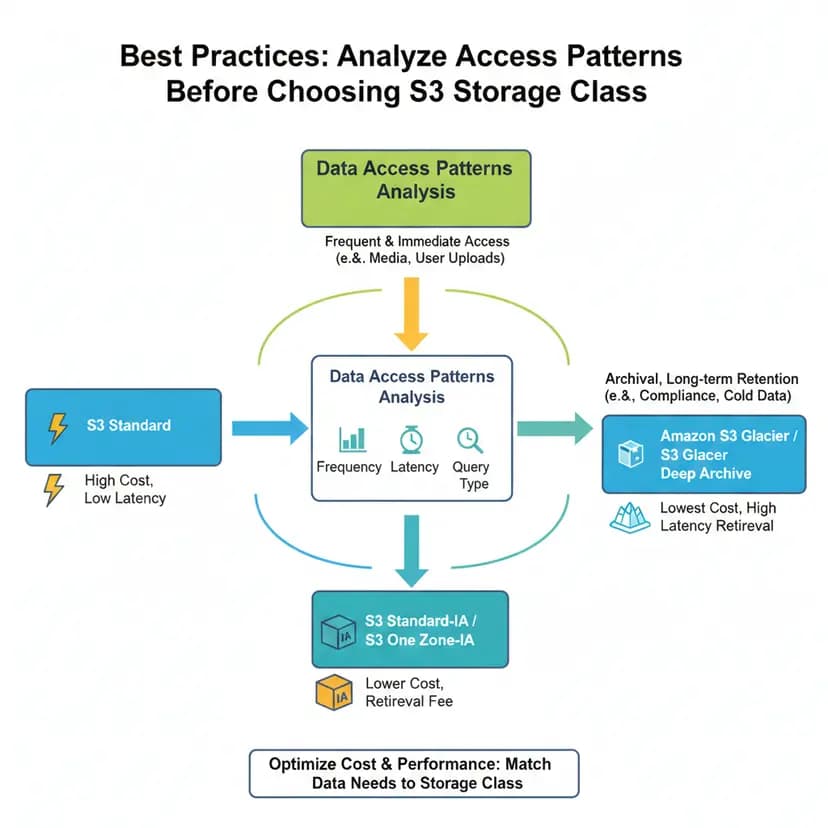
AWS provides multiple storage classes designed for different access patterns:
|
Storage Class |
Use Case |
Relative Cost |
|
S3 Standard |
Frequently accessed data |
High |
|
S3 Standard-IA |
Infrequently accessed data |
Lower |
|
S3 One Zone-IA |
Infrequent access, single AZ |
Cheaper |
|
S3 Intelligent-Tiering |
Automatically optimized by AWS |
Flexible |
|
Glacier Instant Retrieval |
Archive with fast retrieval |
Low |
|
Glacier Flexible Retrieval |
Archive storage |
Very low |
|
Deep Archive |
Long-term backup |
Lowest |
The difference between these classes lies primarily in access frequency and pricing model rather than durability. Frequently accessed data benefits from S3 Standard, while older or rarely accessed data can move to IA or Glacier tiers at significantly lower cost. Without a storage class strategy, cost grows in direct proportion to data volume. With the correct class selection, cost per terabyte decreases as data ages.
Lifecycle Rules allow S3 to automatically transition objects between storage classes based on object age. Instead of manually moving files or writing scheduled jobs, S3 handles the transition logic internally. This ensures storage cost decreases over time as data becomes less frequently accessed.
A practical lifecycle strategy may look like this:
No cron jobs are required. No application changes are needed. Once configured, S3 automatically moves objects according to defined rules.
Lifecycle policies can also vary by data type. For example:
In large systems, this approach can reduce storage cost by 50–80% without modifying application logic. The optimization happens at the storage layer, not in the code.
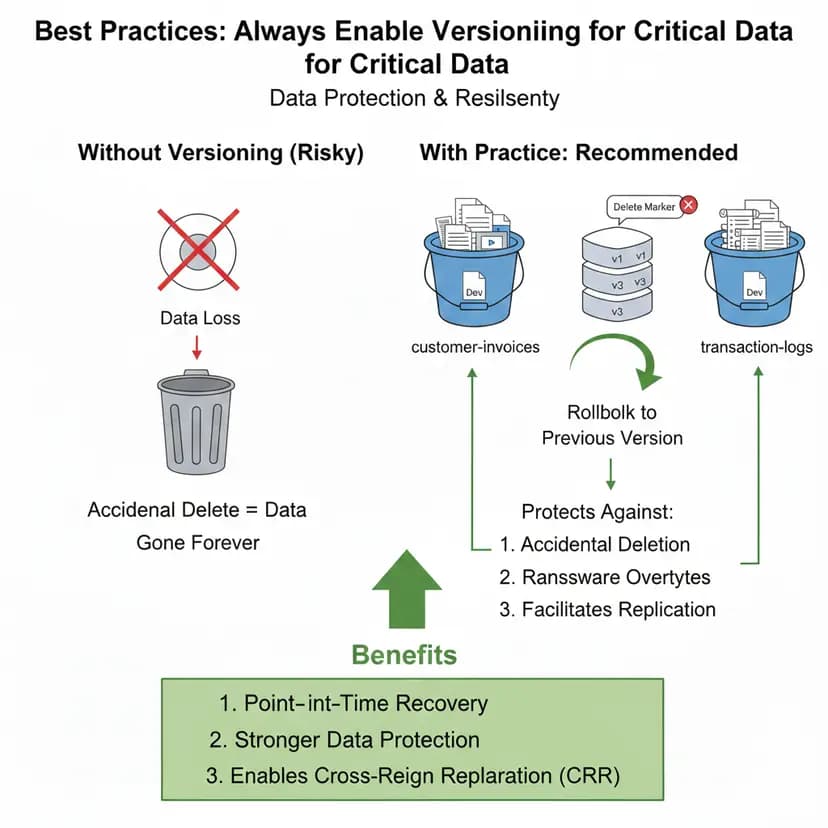
One important question in large-scale systems is what happens if an AWS region experiences a failure. By default, S3 replicates data across multiple Availability Zones within the same region. This provides high durability and protection against infrastructure-level failures. However, it does not protect against region-level outages.
To protect data from regional incidents, S3 provides Cross-Region Replication (CRR). With CRR enabled, objects uploaded to a source bucket are automatically replicated to a bucket in another AWS region. This replication happens at the storage layer and does not require application-level changes.
Cross-Region Replication is commonly used for:
By maintaining a copy of data in a secondary region, systems gain an additional layer of resilience. If one region becomes unavailable, data remains accessible from the replicated bucket. This approach strengthens durability beyond the default multi-AZ protection provided within a single region.
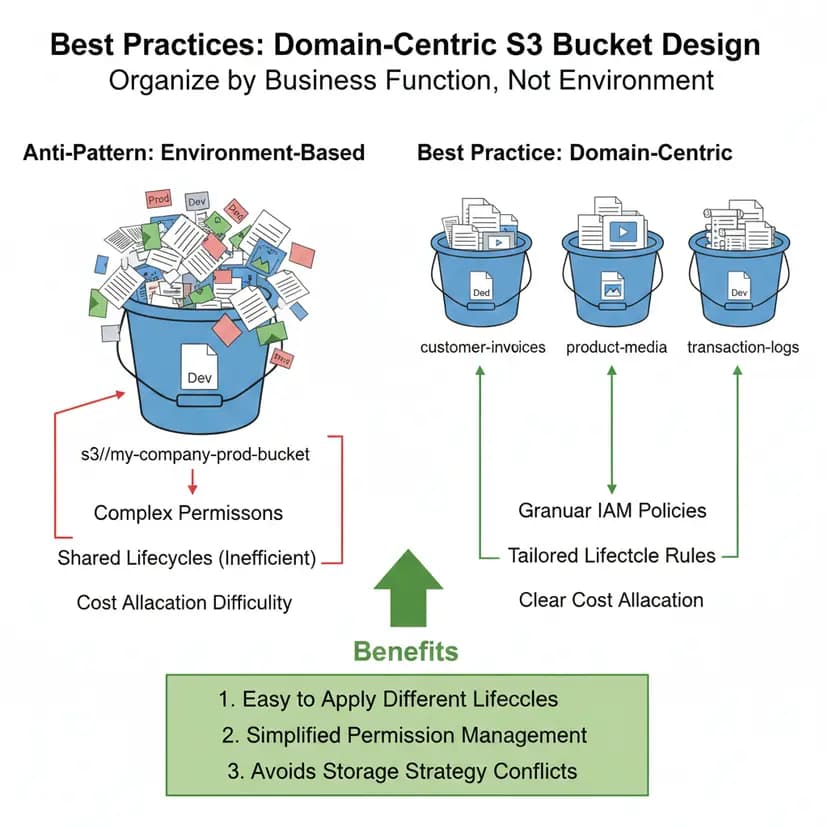
Managing S3 at scale is not about adding more buckets or moving data manually. It is about applying consistent configuration rules so storage cost and durability remain predictable as data grows. Clear structure, version control, and lifecycle automation reduce operational risk and prevent unnecessary spending.
Storage class decisions should reflect real usage behavior. Frequently accessed data belongs in
In one production backend system we worked on, the application processed approximately three million file uploads per month, including user images, generated reports, log files, and periodic backups. Storage was not considered a problem initially because S3 scales automatically and no performance issue was visible. However, after one year, total storage exceeded 40TB, and monthly S3 charges began increasing steadily.
A detailed review of S3 access logs showed a clear pattern: more than 75% of uploaded files were never accessed again after the first 30 days. Despite this, all objects remained in S3 Standard. There was no lifecycle policy in place, and no differentiation between active and inactive data. The system was functionally correct but financially inefficient.
The objective was straightforward: reduce storage cost without modifying application code or changing the overall architecture. Instead of redesigning the system, we introduced a lifecycle-based storage strategy:
All changes were implemented at the S3 configuration layer. No application logic was touched, and no manual cleanup process was introduced.
Within two months, overall S3 storage cost decreased by approximately 70%. At the same time, a secondary region copy improved disaster recovery posture. The key outcome was not only cost reduction, but a predictable storage model aligned with actual data access behavior.
S3 does not become expensive because it scales. It becomes expensive when storage class and lifecycle are left unmanaged. Data grows every day, but access frequency drops quickly. Without transition rules, inactive data stays in the highest-cost tier and bills increase quietly.
In large systems, storage optimization is rarely a coding problem. It is a lifecycle design problem. Choosing the right storage classes, defining automated lifecycle transitions, and using cross-region replication correctly can make storage costs far more predictable while still maintaining durability across regions.
If your S3 costs are increasing faster than expected, it may be time to review how your storage lifecycle is configured. Haposoft works with companies to audit S3 usage and redesign storage strategies so that data automatically moves to the most cost-efficient tier as it ages.



.png&w=828&q=75)